Require AdvancePay at Registration
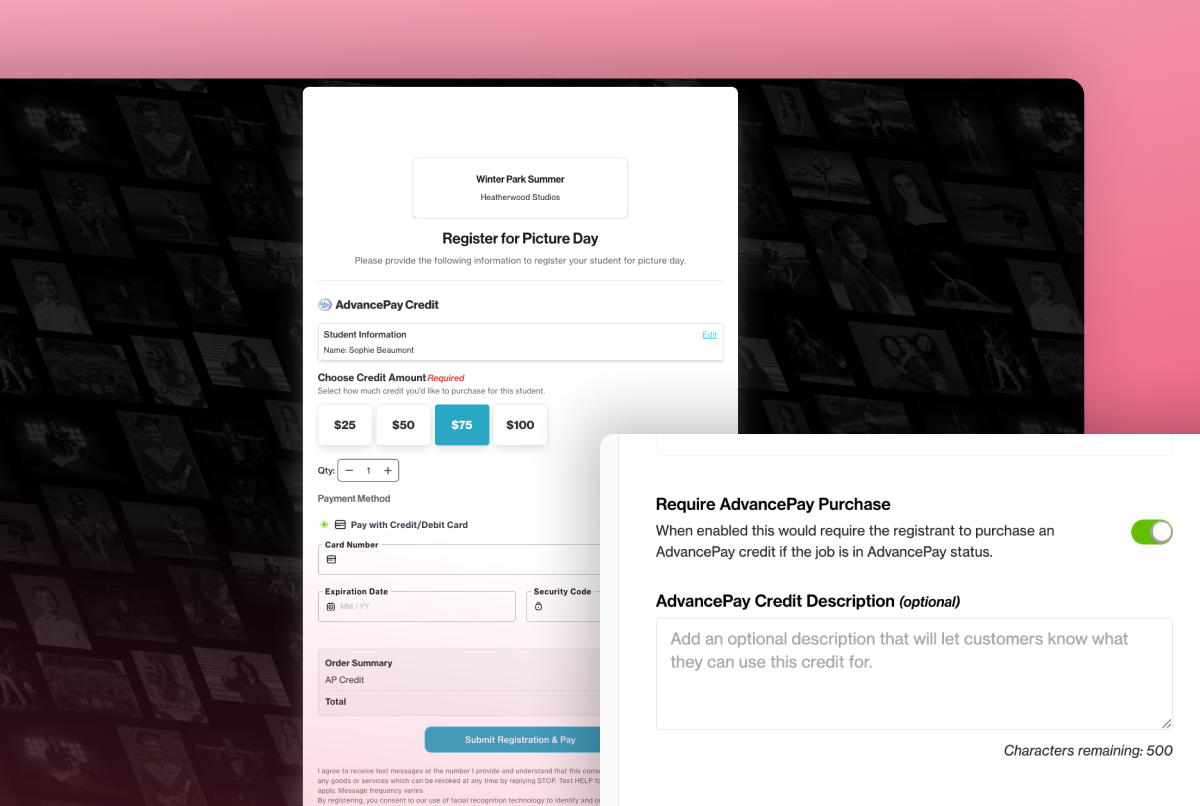
Getting paid before picture day: now simplified with Registration Forms + AdvancePay.
For many of you, pre-picture day usually means two separate asks: register your subjects, then come back later to purchase AdvancePay. That second step is easy for families to put off or miss entirely, which leaves you following up, building workarounds, or heading into picture day with a little less locked in than you planned.
You can now require an AdvancePay purchase as part of Pre-Picture Day Registration. Turn it on, and families will select and pay for an AdvancePay credit before their registration is complete. Registering more than one subject? Each one gets their own credit amount, and everything goes through in a single submission.
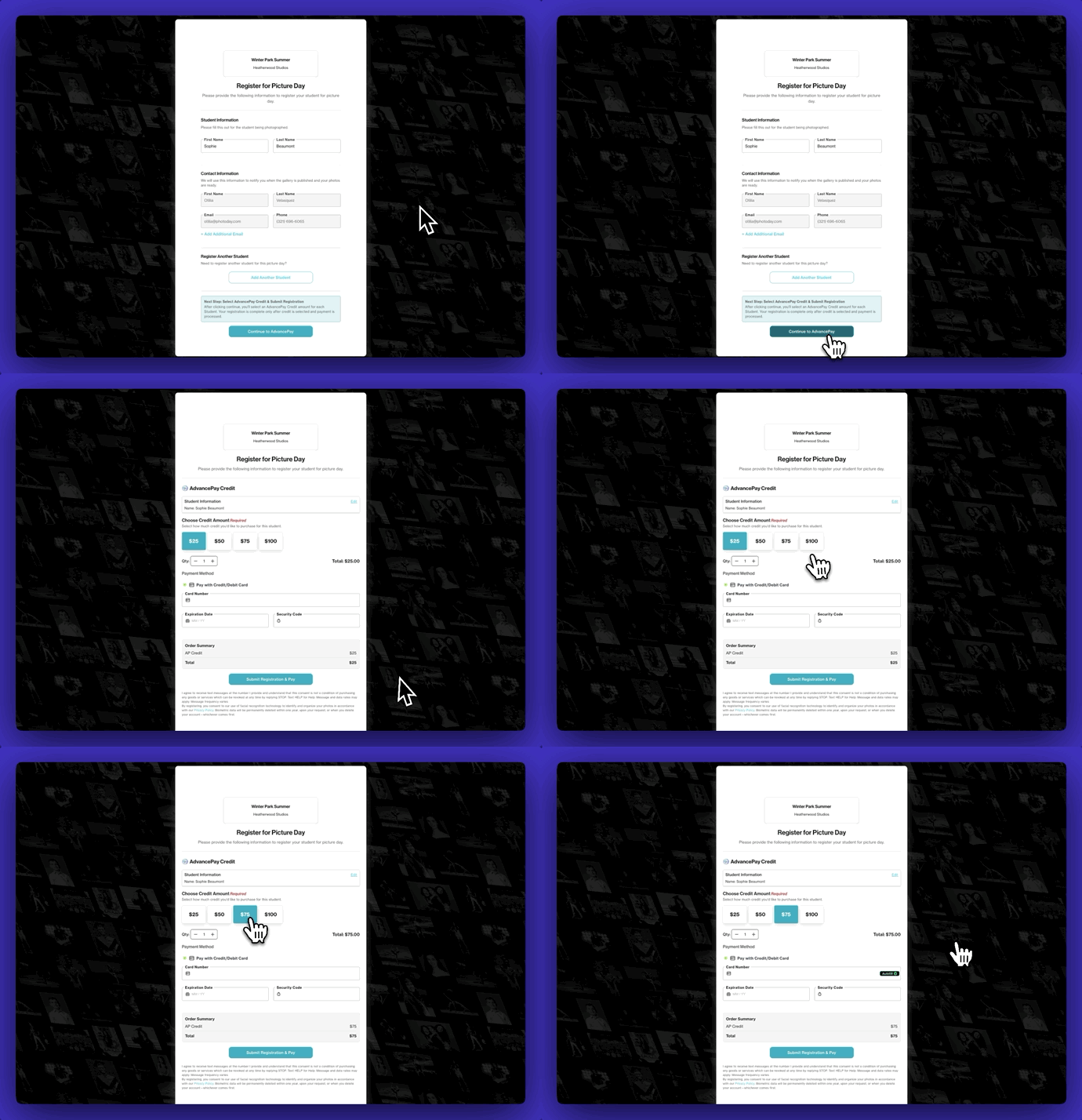
Registration and payment, finally in one step
If you've ever wanted to collect payment before picture day to confirm attendance, require a deposit, or just get more customers committed early, you're not alone. This has been a highly requested feature, and we're excited to deliver it by pairing two tools you already use.
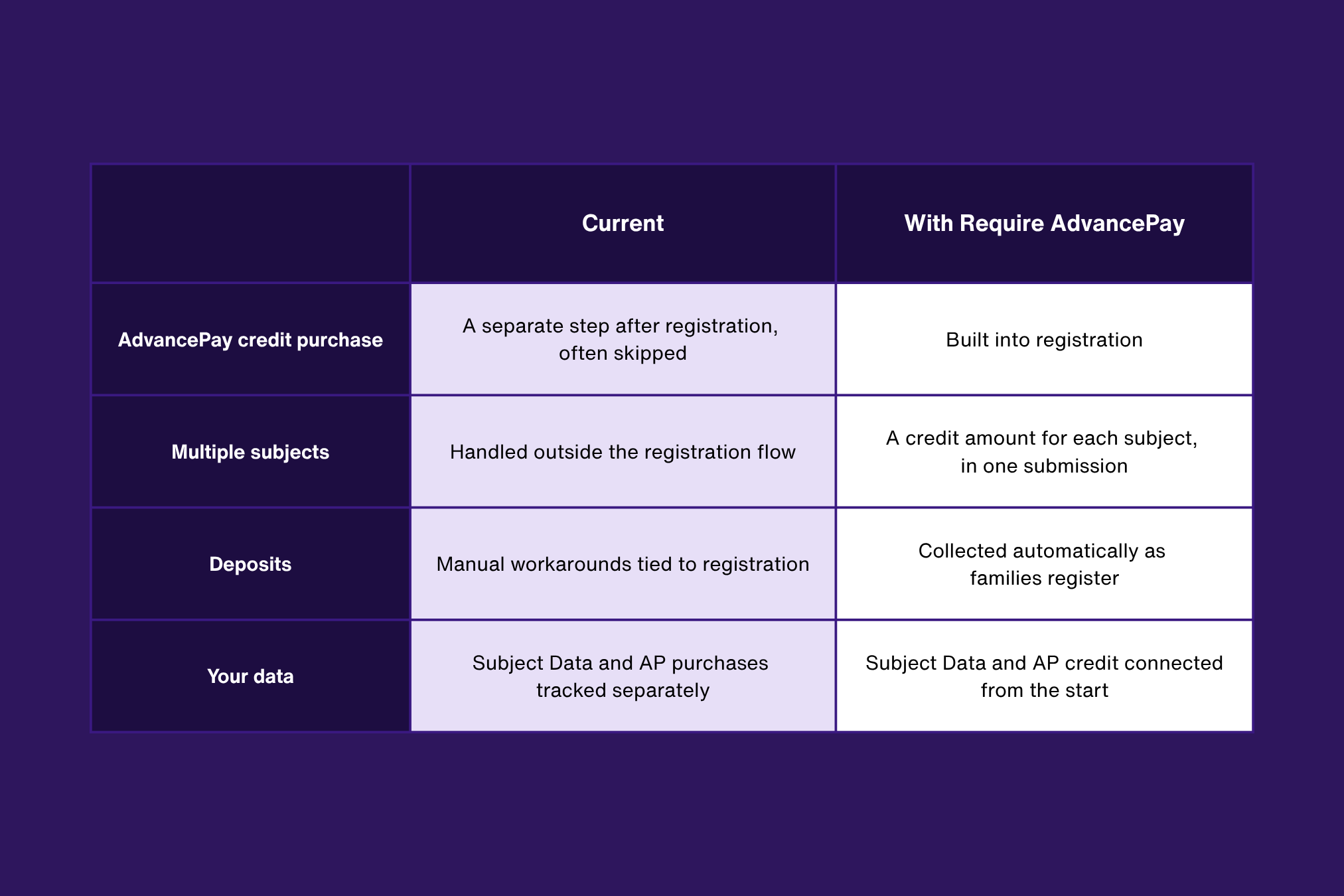
Now you know what's changed. Let's look at how it works.
Two features. One flow.
We launched Registration Forms earlier this year so you could collect Subject Data directly from families before picture day. Now AdvancePay lives right inside that flow. If you're already using both, turning this on takes just a minute.
New to AdvancePay? It's one of our most effective pre-sell tools, often boosting AOV by 30-50%. Learn more in this webinar replay.
Set it once, add per job
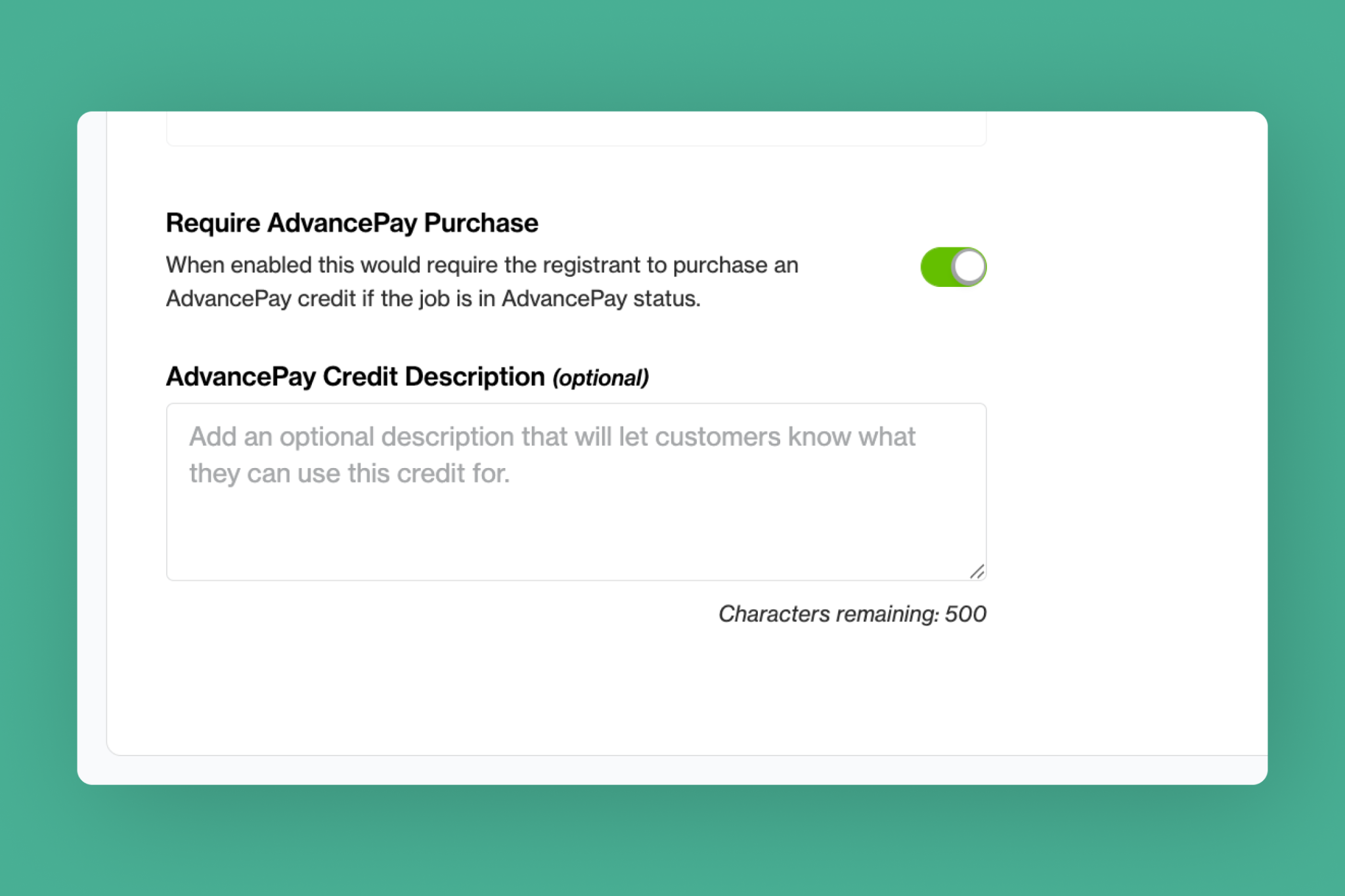
Turn on Require AdvancePay in a Registration Form, and it becomes the default for every job using that form. Just make sure the job has a credit sheet attached.
A credit for every subject
Families registering more than one subject will choose an individual credit amount for each one. Payment and registration are processed together, so nothing gets lost between steps.
Your message, front and center
Add an optional description that families see during registration, so they know exactly what they're paying for and why.
Flexible to fit your pre-picture day workflow
This isn't a separate payment tool added onto registration. We built it into the flow you already use.
- It builds on what you've already set up. Your Registration Forms and AdvancePay credit sheets do the work.
- It keeps everything connected. Subject Data, registration, and AdvancePay credits come in together, tied to the job.
- It fits how families register. Multiple subjects, each with their own credit amount, in one submission.
When to require AdvancePay vs. keep it optional
Optional AdvancePay isn't going anywhere! It's still a great fit for many jobs, but you should consider requiring it in these scenarios:
- Pre-pay per subject: When every participant needs to be paid for before picture day.
- Session deposits: When you want to confirm attendance with an upfront deposit.
- Replacing manual workarounds: When you've been collecting payment outside PhotoDay alongside registration.
{{rt-cta-button}}


