Marketing QR Codes
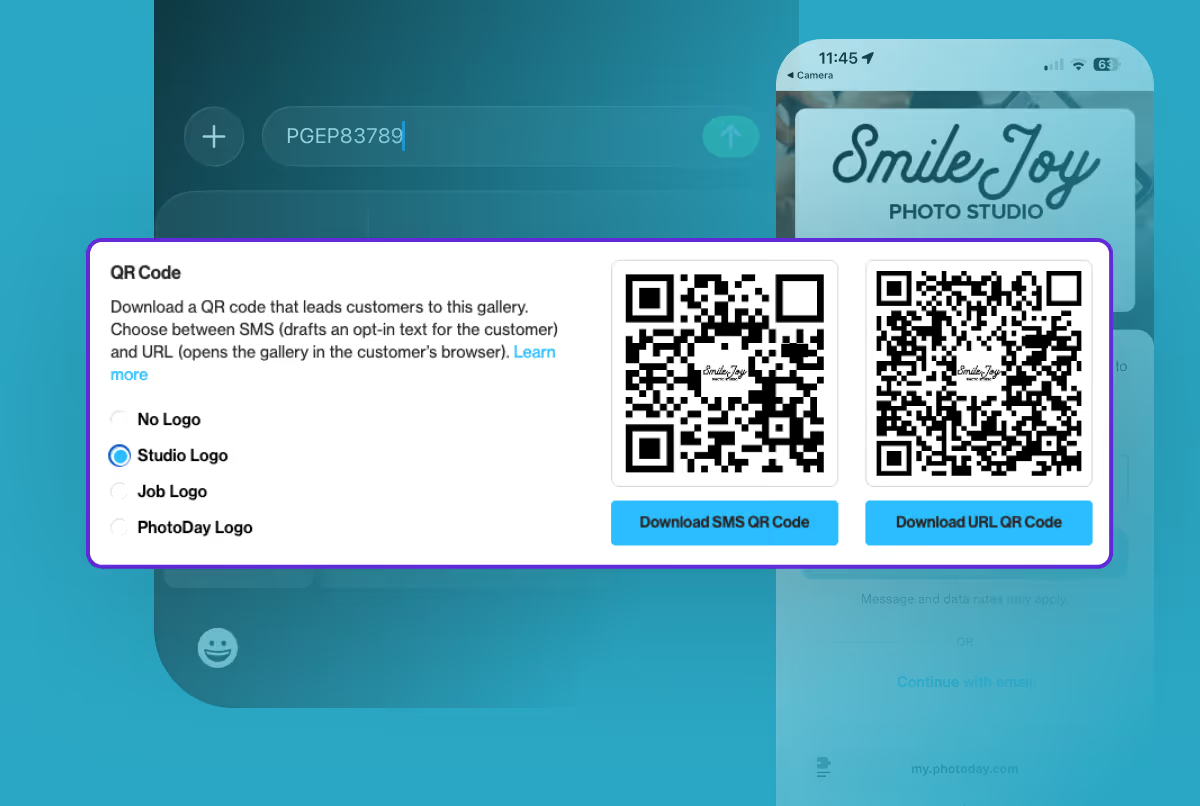
Promoting picture day just got even easier
Communication is key when it comes to online selling! Gathering early opt-ins is the very best way to ensure customers know when the gallery is published and photos are ready to be purchased.
One of the easiest ways to direct your customers to a gallery is to have them scan a custom QR code on a flyer or poster. So we built it right into the PhotoDay Studio Panel!
PhotoDay now creates marketing QR codes for every job! Saving you the manual steps and keeping them handy so you never have to second-guess which QR goes to which job.
Less Friction. More Opt-Ins.
Customers can opt in to a PhotoDay gallery by texting their access code to 90738 and/or by clicking “Subscribe” in the gallery when viewing on a mobile or desktop web browser at my.photoday.com.
QR codes are wonderful tools for your promotional materials. Simply add them to any promotional design (posters, flyers, signs, banners, reminder cards, you name it) for customers to scan and subscribe with fewer steps.
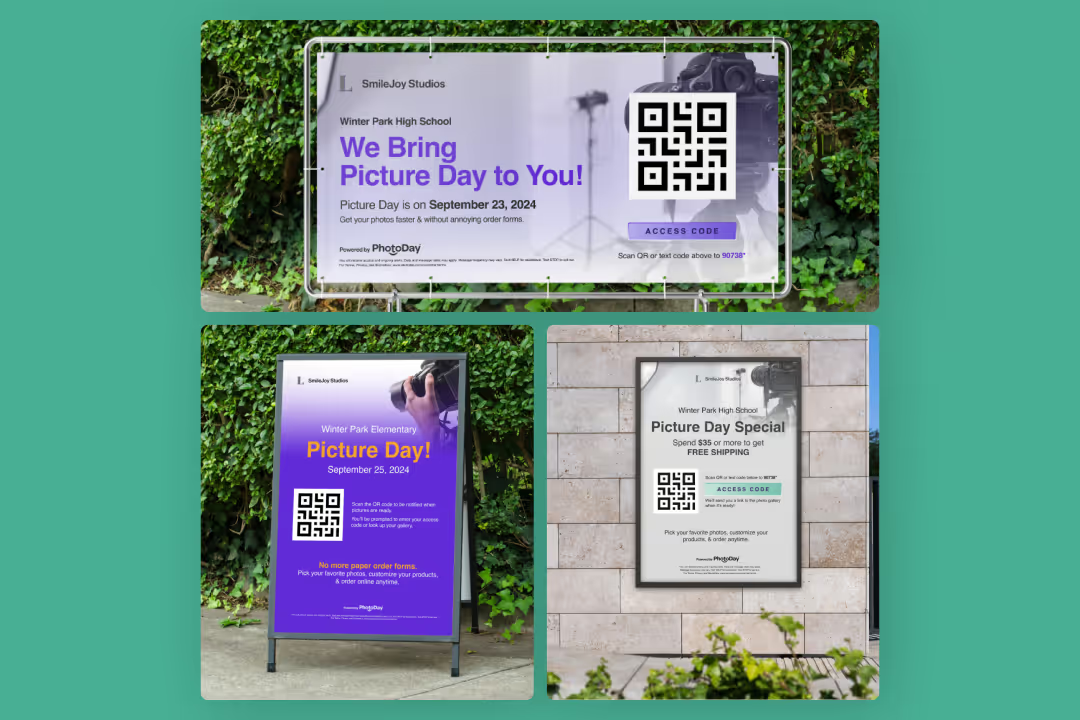
Now QR codes can be downloaded directly from any job’s settings! We’re excited about how this update will streamline your workflow and the customer experience:
- Faster access with fewer steps for customers
- Download a job’s QR code with one click
- No more mistyped access codes or URLs
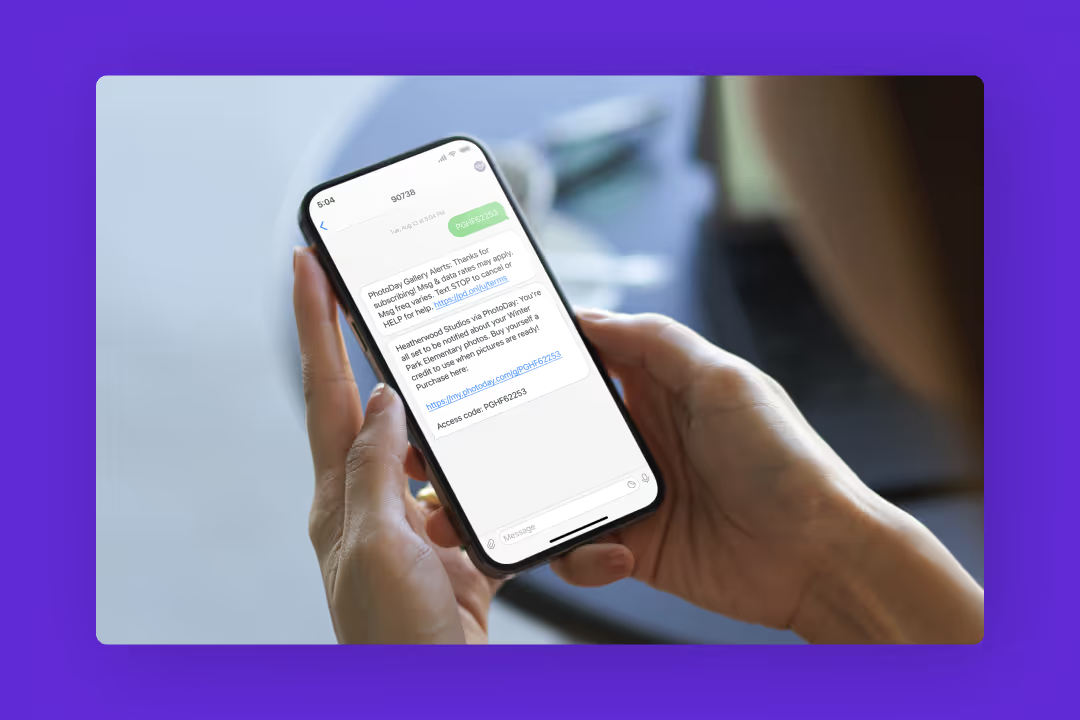
- SMS QR codes draft the opt-in text so customers can just hit “send”
- Use them with PhotoDay’s free marketing design templates
Fewer steps mean easier gallery access, faster opt-ins, and a simplified customer experience.
How to Download Marketing QR Codes
Downloading marketing QR codes is simple! Just open a Job > Settings > Gallery Access and scroll down to the QR Codes section.
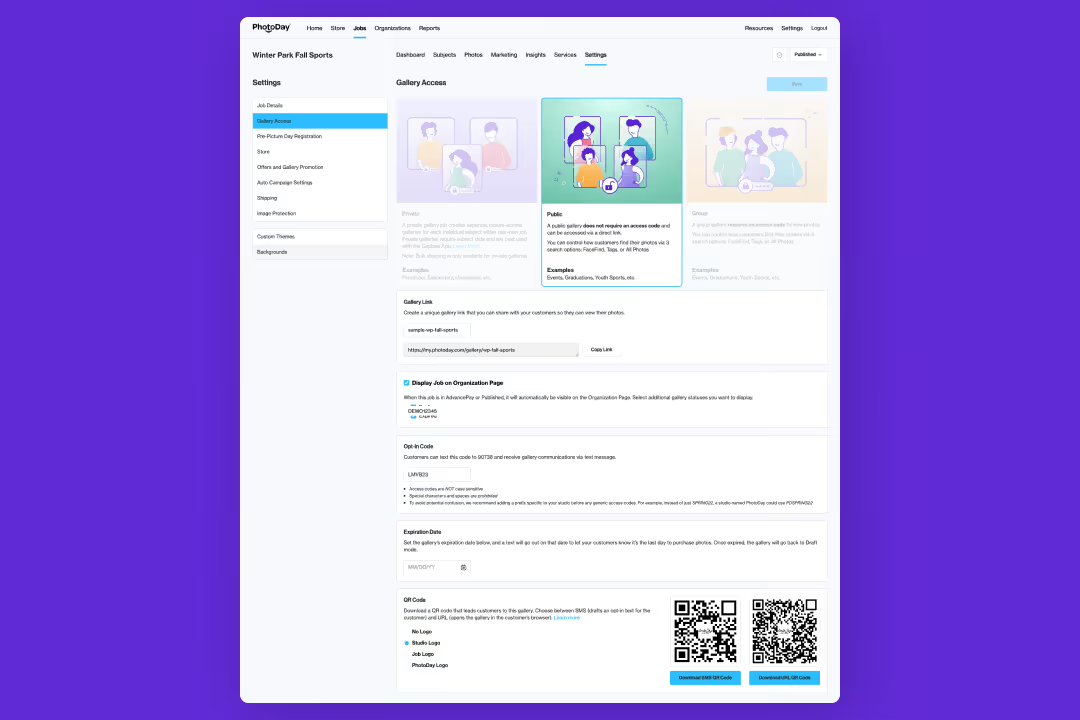
Here you can choose a logo preference to customize the QR code to fit your brand:
- No Logo
- Studio Logo
- Job Logo
- PhotoDay Logo
Depending on which gallery access you chose for the job, you will see one or two QR code options.
URL QR Code: When scanned, this Job URL QR code directs customers to the gallery in their web browser, prompting them to opt in to text notifications upon entering. For Private Gallery jobs, please make sure either Gallery Lookup or a Registration Form is enabled.
SMS QR Code: When scanned, this SMS QR code automatically creates an opt-in text message with the gallery’s access code to 90738. Sending this will subscribe customers to SMS notifications, and they’ll receive the gallery link immediately.
Level Up Your Designs with PhotoDay’s Marketing Kit
We highly recommend checking out PhotoDay’s free marketing kit full of customizable templates for banners, social graphics, posters, reminder cards, and more!
Many of the designs conveniently include a spot for a QR code. You can find it under Resources in the PhotoDay Studio Panel.
Pro Tip: For manual flyers (printed or emailed), choose the Modern Horizontal Design and upload one of your newly designed promotional resources to the image header section.
Give It a Try!
Marketing QR Codes are available now! We’re excited about how this new release will simplify your workflow, boost gallery opt-ins, and reduce customer headaches!
{{rt-cta-button}}


