Image Protection Measures
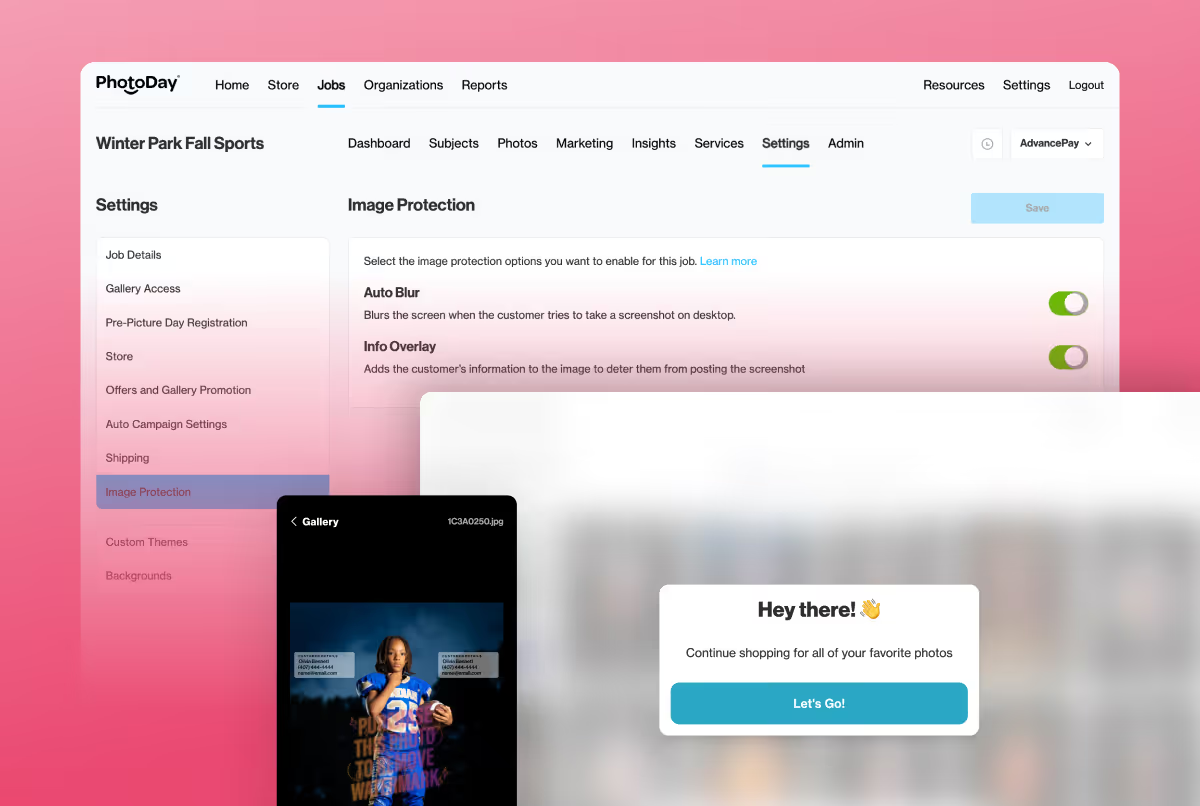
Update: This post was edited on 8/20/26 to include Screen Block, our newest addition.
If you’ve ever lost sleep over parents screenshotting galleries and the rising popularity of AI watermark removers, you’re not alone. These topics are dominating online conversations between volume photographers, and for good reason.
We heard your concerns, researched, developed, and are now excited to introduce the first of many image protection measures to help prevent screenshots and the sharing of unpurchased photos.
Meet Info Overlay, Auto Blur, and Screen Block the first two tools in our new Image Protection panel.
The Issue of Image Theft
Online selling offers a world of opportunities, such as breaking sales records and enjoying more free time, but one of its pain points is the risk of image theft. Constantly evolving AI watermark removers have only exacerbated the issue.
It’s completely normal and understandable to feel violated and emotional when your work is shared or screenshotted without your permission. While we never recommend making business decisions out of fear (PhotoDay Co-Founder & COO Lisa Mallis discusses that here), we understand the problem and have dedicated ourselves to creating solutions.
First things first, though. We promise to always be transparent and upfront about how our image protection measures function as we continue to research and develop solutions. Although no current technological solution in the market can guarantee 100% prevention of digital image theft and AI-driven image reconstruction, we can make it harder.
Which is exactly what Info Overlay, Auto Blur, and Screen Block will do.
Meet Info Overlay
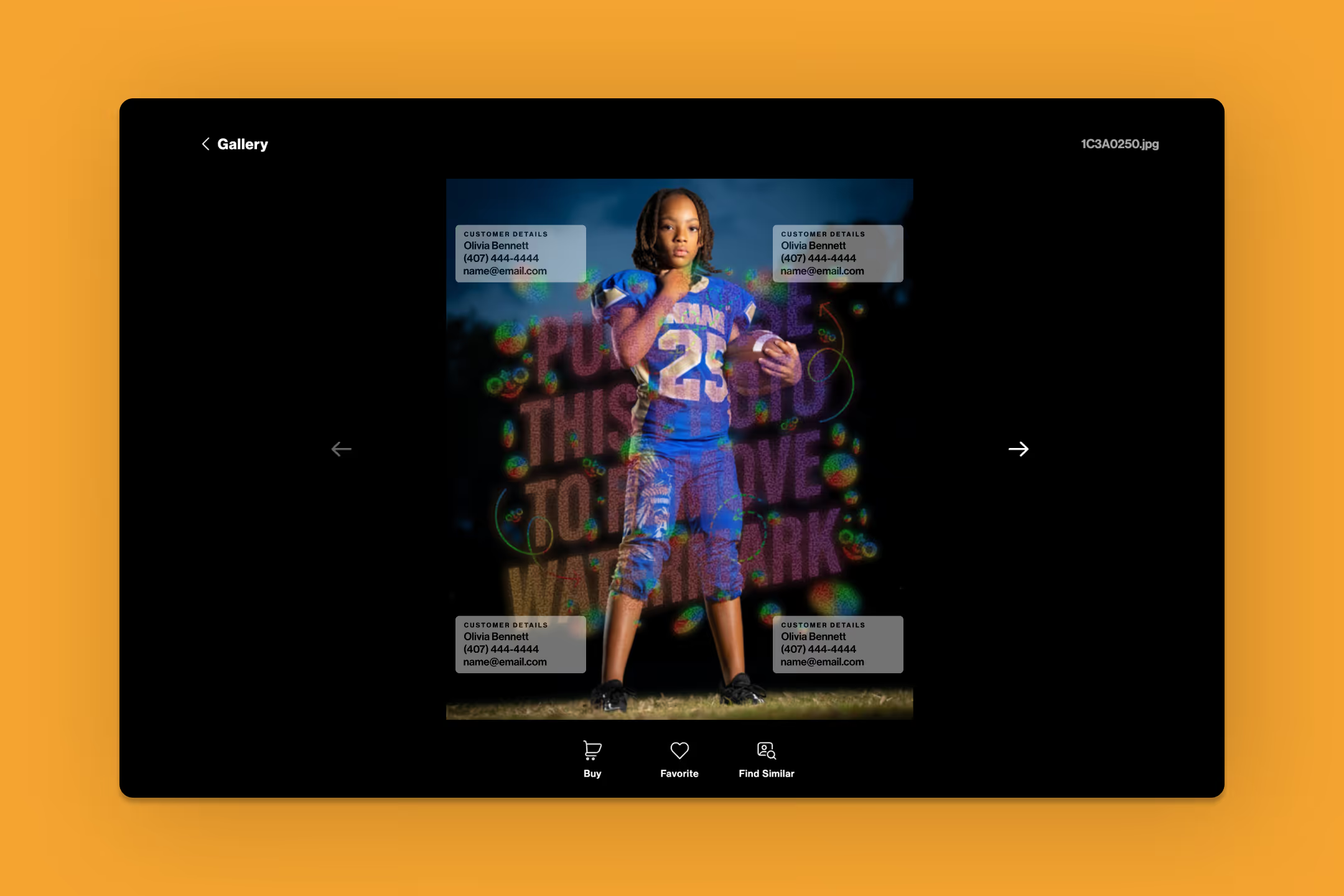
Info Overlay will display the customer’s information on each photo in the gallery experience to deter them from sharing screenshots.
Here’s how it works: We populate the customer's account information they use to log in (e.g., shopper name and email or phone), and overlay it on top of the existing rendered watermark.
The intent is to create accountability and deter customers from taking and sharing screenshots on social media platforms, since their information would be visible.
Info Overlay works on both mobile and desktop devices. It is off by default, but you can toggle it on and off for each job.
Meet Auto Blur
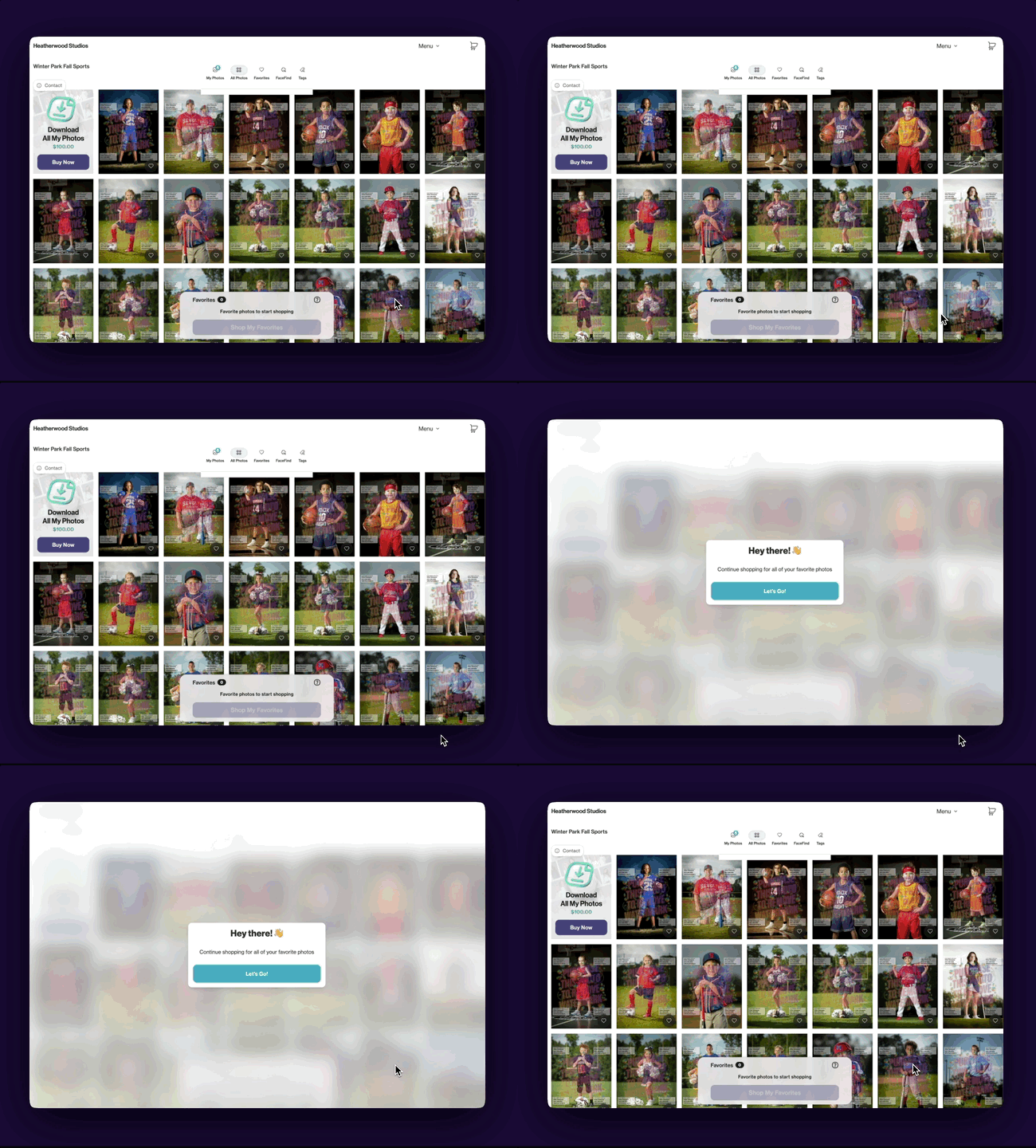
When a customer is using a desktop computer, Auto Blur will blur the entire gallery if the browser loses focus, or when screenshot-related key combinations are detected—all while preserving a clear customer experience during normal browsing.
Auto Blur is on by default, but studios can toggle it off on a per-job basis.
Meet Screen Block
We told you more was coming soon!
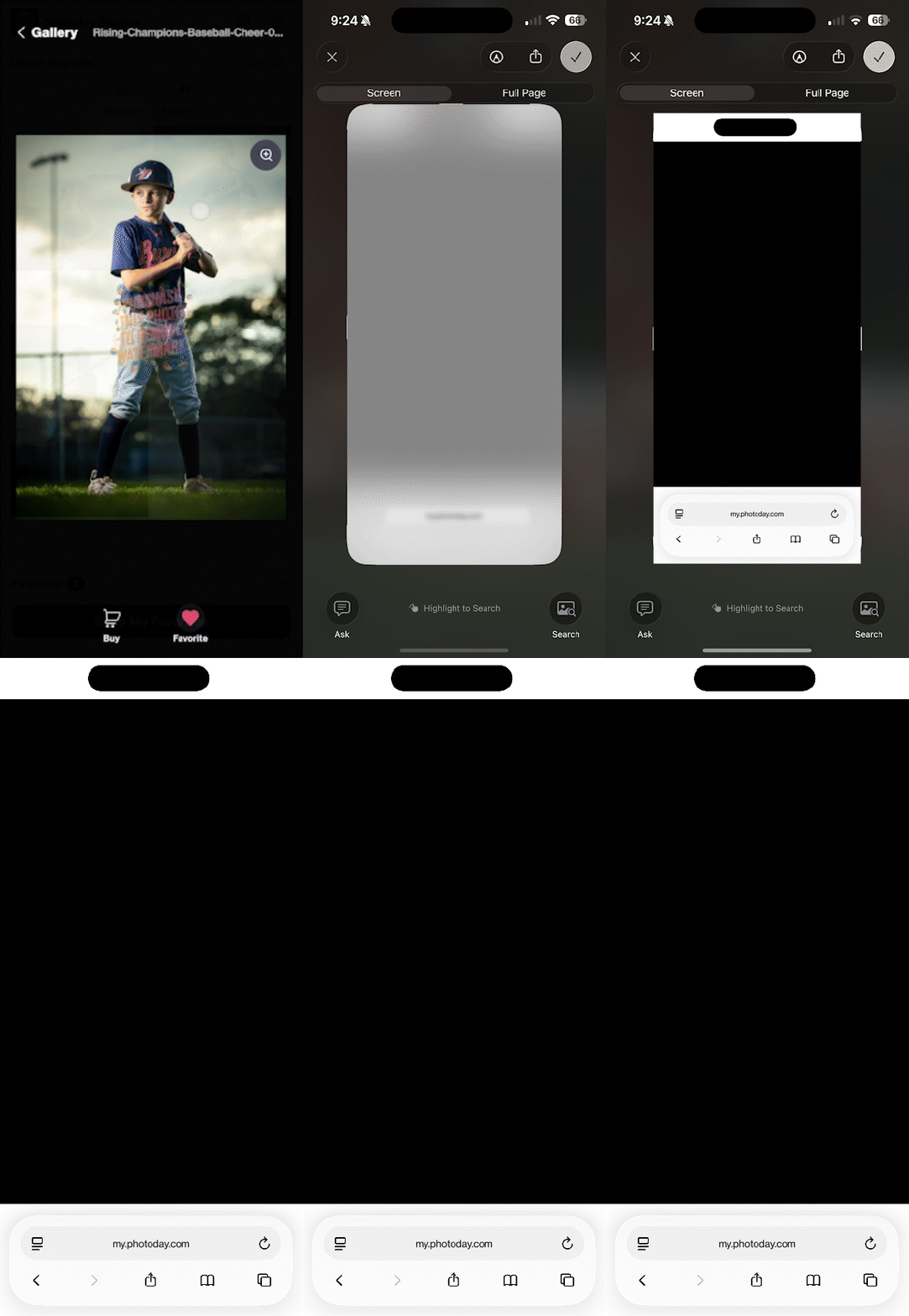
Screen Block will automatically black out any screenshots taken on a mobile device in a PhotoDay gallery. This feature is iOS only for now, but support for Android devices is in progress. In the last 12 months, 75% of PhotoDay's gallery traffic has come from Mac or iOS devices.
Screen Block is already automatically enabled for all of your jobs! No integrations or setup necessary. Paired with Auto Blur for desktop devices, we’ve got you covered.
Stronger Protections. More Control.
As customer behavior and AI technology evolve, it’s important to layer protection efforts rather than rely on a singular approach.
This feature release addresses some of the main obstacles with protecting images:
- Customer-identity based protections are more effective than visual deterrents alone
- Multiple layers reduce misuse and misunderstanding
- Striking a balance between maintaining a professional gallery presentation and protecting photos
- Building protection directly into the experience
And we’re not done! We are committed to continuing to develop and release tools that offer you more control over your studio and your photos.
Get Started Now!
Info Overlay, Auto Blur, and Screen Block are available now! You can find the Image Protection panel by opening any Job, navigating to Settings, and selecting Image Protection.
We’re confident that both of these tools will help safeguard your photos without diminishing your customers’ shopping experience!
{{rt-cta-button}}
Please make sure you're signed into your PhotoDay account to access the support article.


