Black & White Post-Processing
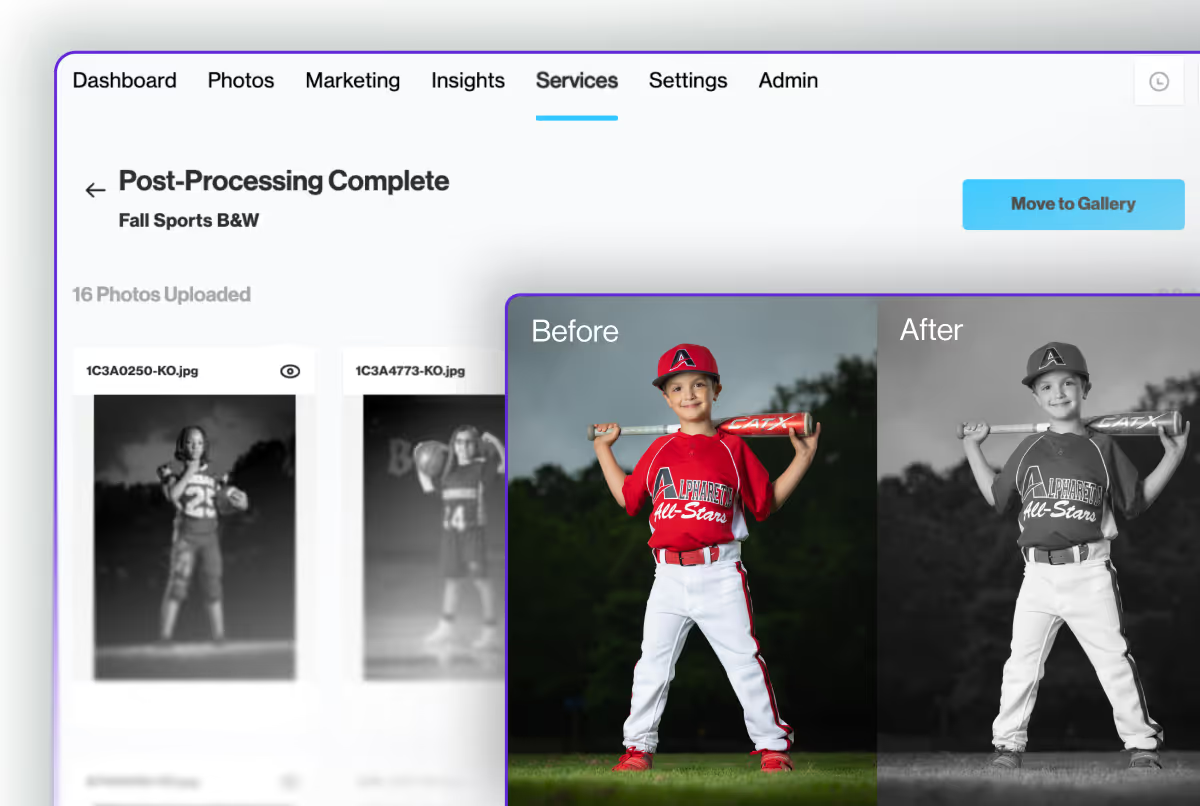
Double your photos and boost your sales for free with PhotoDay’s new Black & White Post-Processing service
We’re excited to announce a brand new post-processing service right in your PhotoDay Studio Panel: black and white editing! The best part? It’s completely free.
With online selling, your photos are your inventory—the more photos you offer, the more you can sell. Gone are the days of paper order forms, as image-first selling allows customers to see before they buy, and purchase only what they love. Countless studios using PhotoDay already leverage this strategy and see dramatic increases in their AOV.
You can achieve this by capturing multiple poses on picture day, but the easiest way to double your inventory is by adding black and white edits to your gallery. So we made it free and simple for you to do just that in mere minutes.
We can’t wait for you to see how this feature can effortlessly improve sales while delighting customers!
How it works
Let’s dive into the details. This new creative feature works similarly to our existing Knockouts and Color Correction features. In the Services section of a Job, you can upload color photos to be automatically rendered black and white in minutes. No extra editing, exporting, or manual management—everything is done right within PhotoDay.
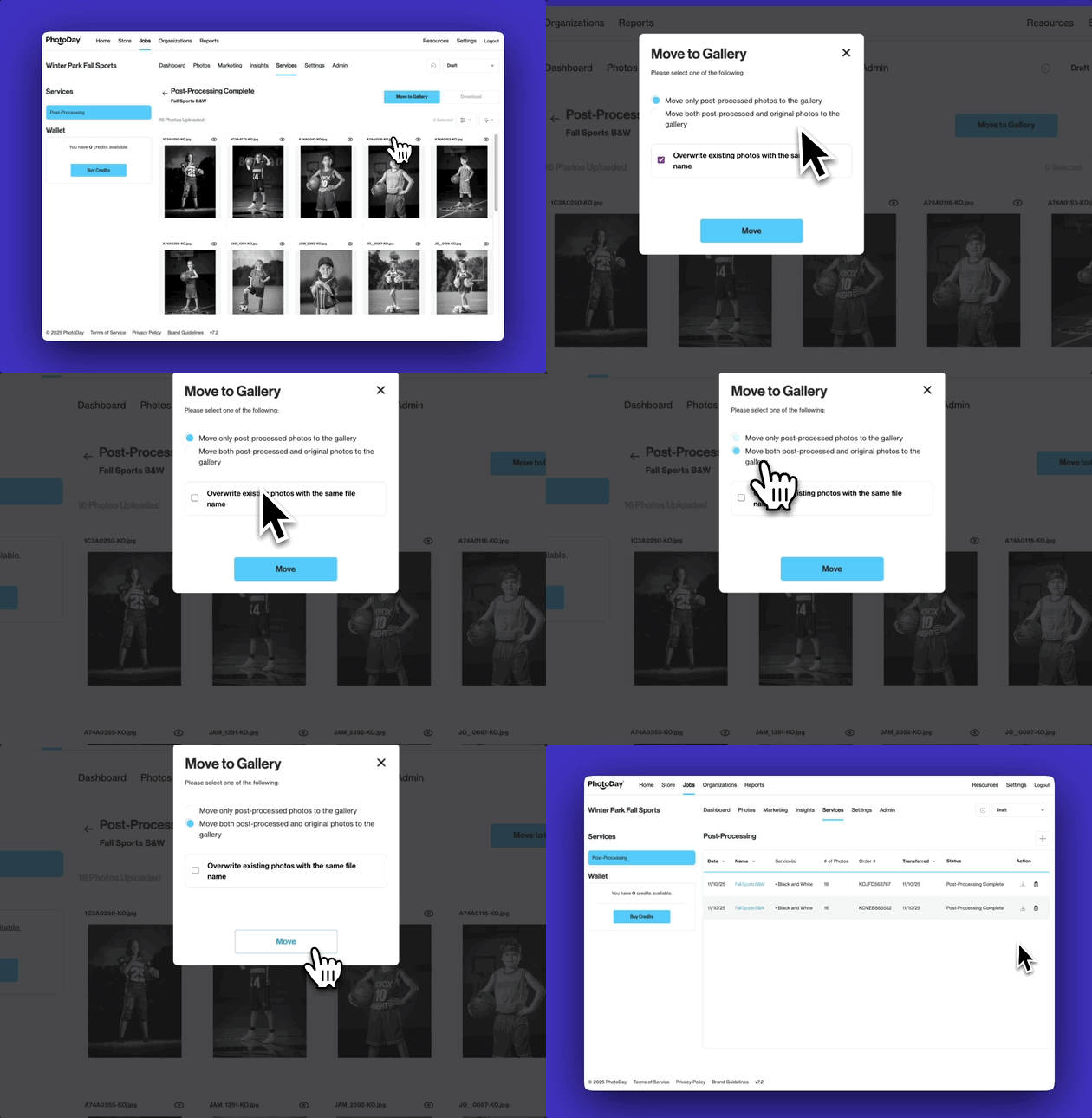
Here’s how it works:
- Go to Job > Services > Post-Processing to get started
- Select the Black & White service
- Upload your photos
- Receive an email when the job is completed (usually within minutes)
- Move the edited and original images to the job’s gallery
It’s that simple!
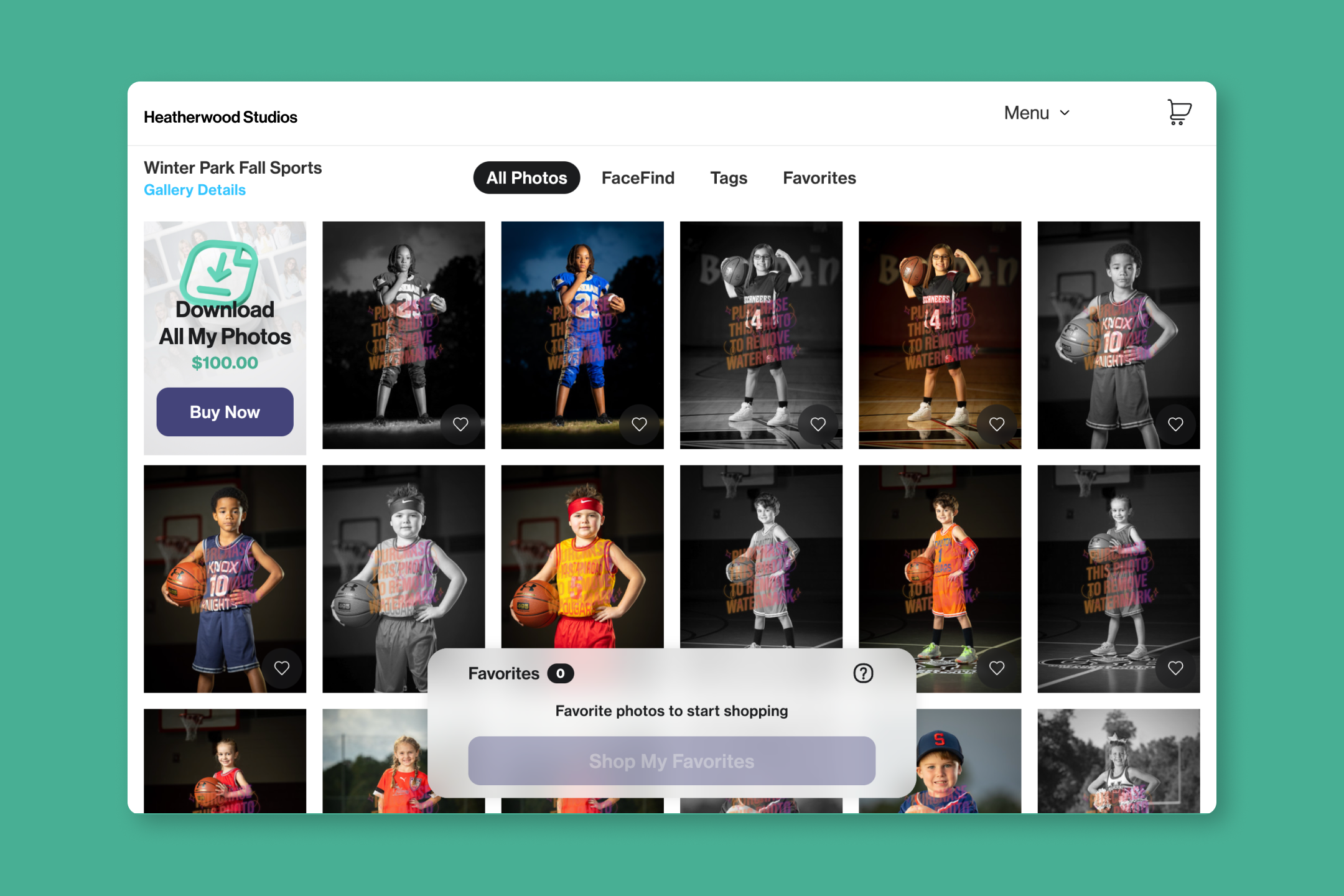
Pro Tip: Try offering Download All to boost your AOV by up to 30%.
With Download All, your customers can find, purchase, and download all photos of a single subject in just a couple of clicks, for one simple price. Studios have been seeing outstanding results of both increased sales and satisfied customers. Now, with Black & White, each of your images can become two sellable options, making Download All even more valuable.
Take it from smaX Photography
In a recent PhotoDay webinar, Carinna Boatwright of smaX Photography shared some of their most effective strategies and results. Including how offering multiple poses and black and white edits boost their AOV.
The more you offer, the bigger your storefront will be.
We offer at least five progressions per subject and three for the team photo, and we turn all of those into black and white. We then offer Download All for the first 48 hours only, after which we revert to our standard tiered pricing for downloads.
And we’re getting insane amounts of PD100s [orders of $100 or more] because of it!
— Carinna Boatwright (smaX Photography, Boatwright Bootcamp)
Get Started with Black & White Post-Processing
Our post-processing services—Black & White, Knockouts, and Color Correction—dramatically streamline your post-picture day workflow, allowing you to get your galleries posted quicker than ever. So you can step away from the computer and get back to photographing, growing your business, or booking a vacation.
Click the button below for a step-by-step guide to PhotoDay’s new black and white post-processing service. Please make sure you're signed into your PhotoDay account to access the support article.
{{rt-cta-button}}


