Image Protection
Your images stay protected until they're purchased
Three layers of built-in protection—totally free, with zero setup. Galleries stay secure while families enjoy the same effortless shopping experience
Built-in protection for what pays you.
PhotoDay closes the gap automatically, so browsing turns into buying—without adding a single step to your workflow or detracting from a professional, enjoyable shopping experience.


What studios are saying
“Screenshots are a real problem in our industry, and I'm just so grateful that PhotoDay has realized that and is attacking it.
I was running a hard drive to one of my photographers at one of our events at a big arena, and as I'm walking down, I see a lady there scrolling through our pictures. And I watch her trying to screenshot a black screen, and she goes, “ain't that a &#%?”
This is exactly why we're using PhotoDay, and it's just going to keep getting better. No subscription—it's just part of the deal. It's developed by their in-house team, not a third-party developer. It's a great, great asset to have.”
—Jerry Hughes, Jerry Hughes Photography
HOW IT WORKS
Three layers, zero effort.
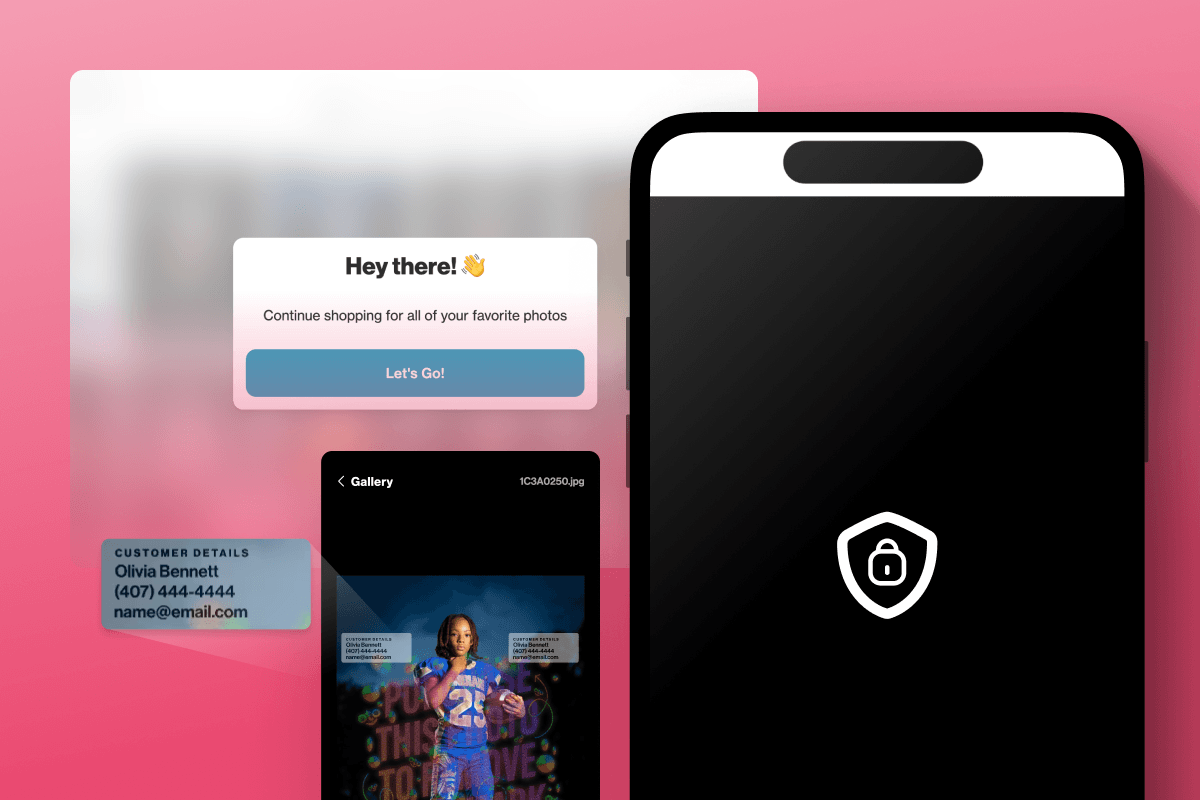
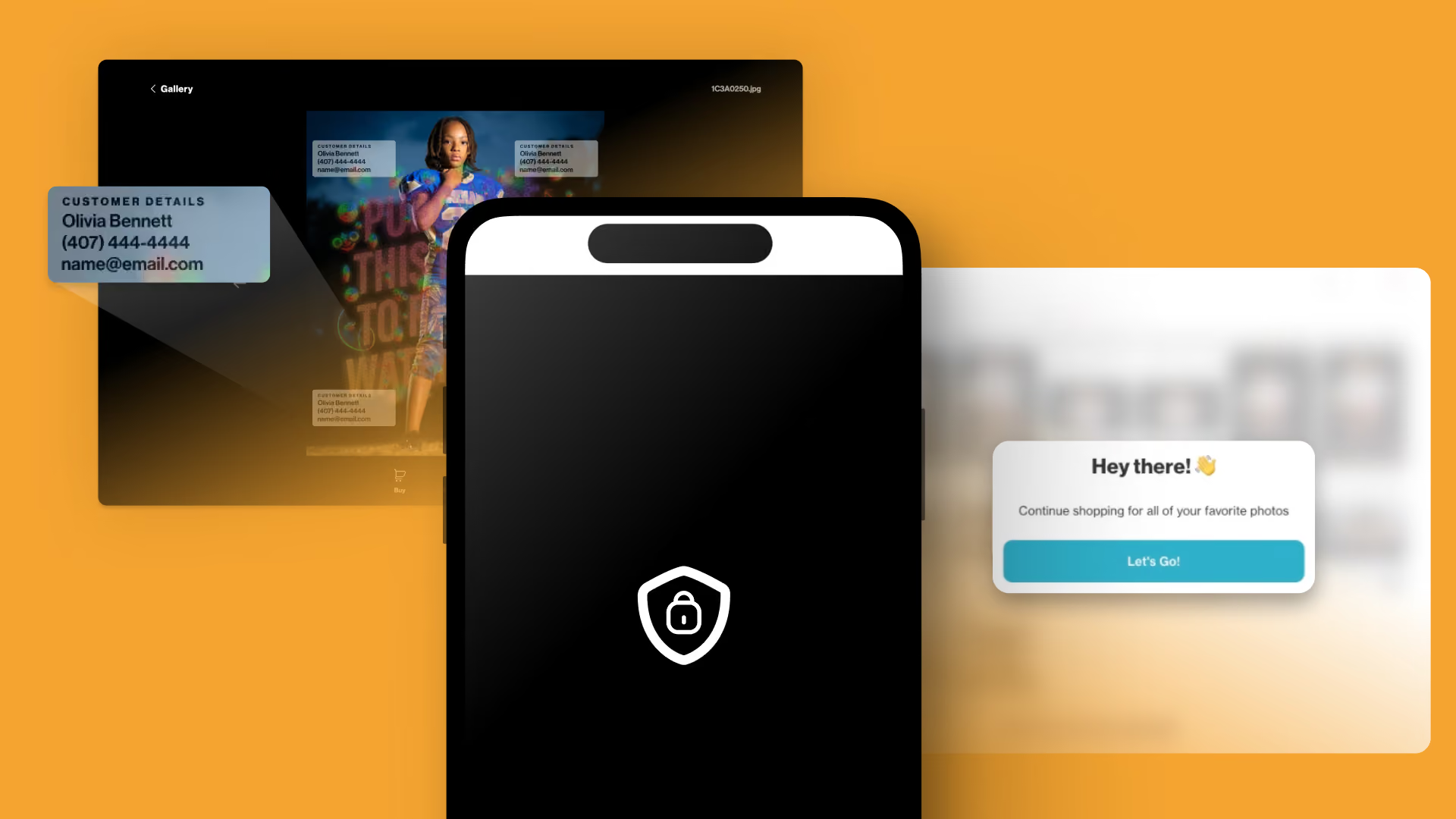
All three features are completely free to use and automatically enabled for every gallery. Here’s what would-be screenshotters see…
Info Overlay
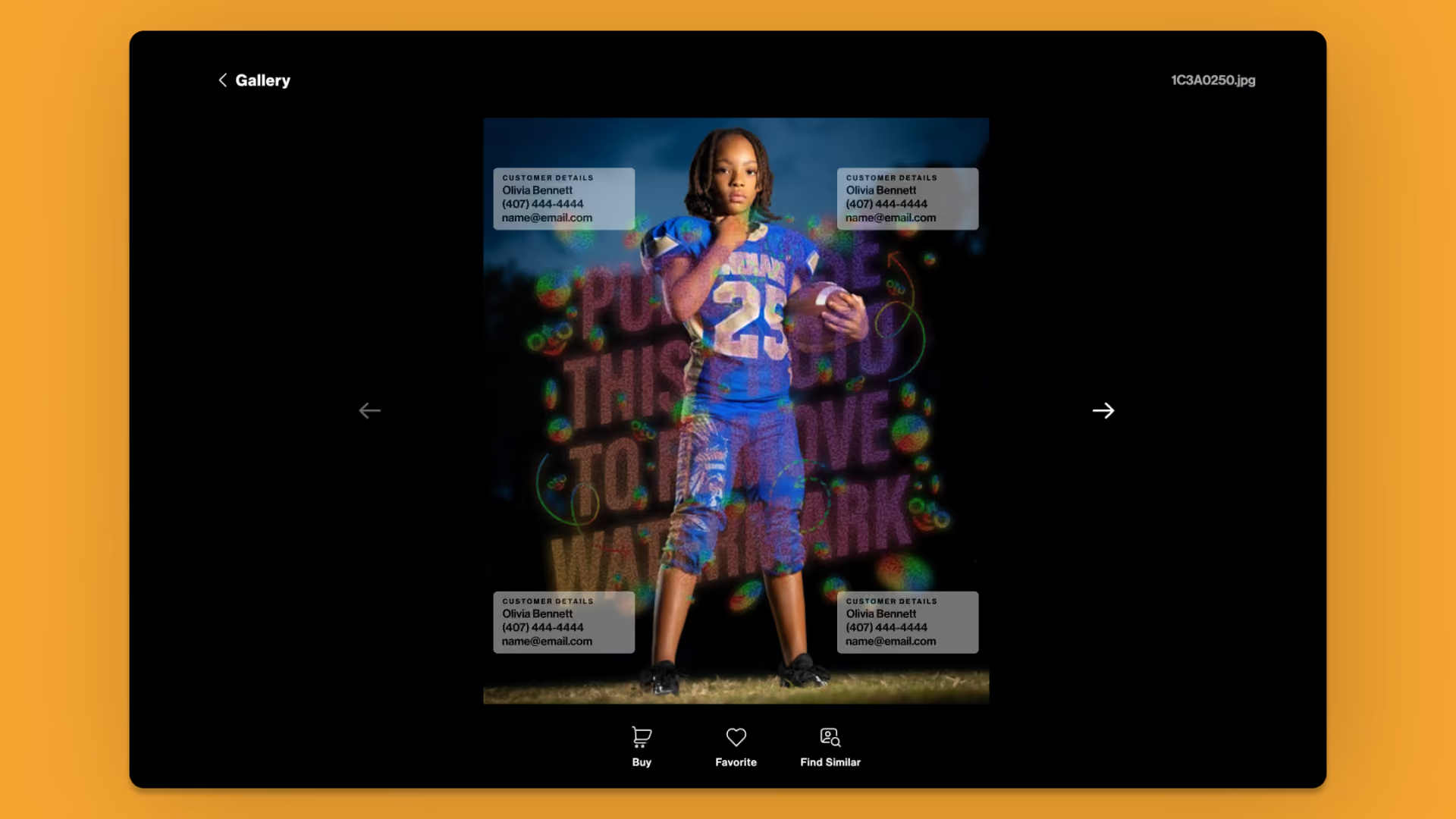
Customer details are layered right onto every photo as a secondary watermark to create accountability and deter unwanted screenshots.
Screen Block
Mobile screenshots and screen recordings are stopped at the source, so unpurchased images never leave the gallery.
Auto Blur
Deter desktop screenshots by blurring the entire gallery if the browser loses focus or a screenshot is attempted.
Security families never notice,
and photographers never worry about
No plugins, no passwords, no extra clicks for parents. Protection runs quietly in the background of every gallery for every PhotoDay account.
Frequently Asked
Questions
How the tools on this page fit into real studio workflows.

No. All three layers are included free with every PhotoDay account. There's nothing to add, upgrade, or enable billing for.
Auto Blur, Screen Block, and Info Overlay are already active on every gallery—you don't have to do anything. Info Overlay is optional and can be toggled off in your job's settings.
No. Protection runs quietly in the background: no plugins, no passwords, and no extra clicks for parents. The shopping experience is exactly the same as before.
We promise to always be transparent and upfront about how our image protection measures function as we continue developing solutions.
Although no current technological solution in the market can guarantee 100% prevention of digital image theft and AI-driven image reconstruction, we can make it harder.
Info Overlay and Auto Blur are compatible with all operating systems. Screen Block is currently available on iOS devices, which accounts for around 75% of PhotoDay's gallery traffic. Screen Block for Android devices is in development.
Not at all. Protection applies only to gallery previews. Purchased images are delivered clean, at full resolution, with no overlay or blur.
FREE FOR EVERY ACCOUNT
Protect every gallery starting today
Image Protection in PhotoDay is totally free, requires zero setup, and is already built into every PhotoDay account. Just sign up to get started!